.svg)
Table of Contents
You respond to a customer on one channel, then they message you on another. Your team goes hunting for the history. The data remains scattered. The service slows down and thecustomer experience suffers silently. An omnichannel platform restores order: it connects your channels, centralizes information, and triggers actions at the right time. That is exactly the logic behindOctopush : a communication platform (SMS, email, campaigns) that integrates into an omnichannel strategy to automate journeys and improve engagement in real time, without turning your organization into a complex mess.
How do you automate the customer journey?
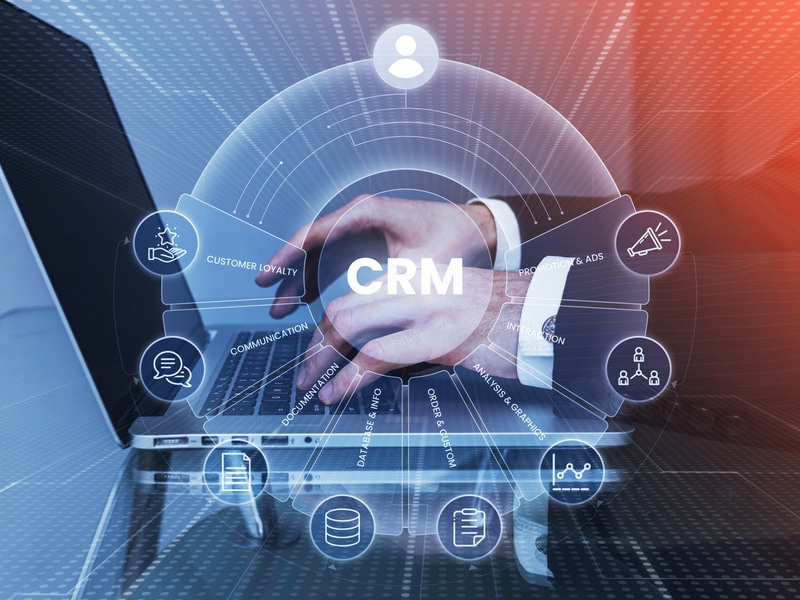
With Octopush CRM and omnichannel platform, journey automation becomes a reality: a signal from your CRM triggers the right message on the right channel, at the right time, with up-to-date data . An automated customer journey isn't about "sending more." It's about "sending better." You start with a signal, choose a channel, tailor the message, and then measure the results.
Define the moments that matter
Identify 6 simple moments where automation changes everything:
- initial contact (inbound lead, form, call)
- appointment booking
- quote sent
- abandoned cart (e-commerce)
- purchase completed
- re-engagement after inactivity
Each moment becomes a short sequence. You avoid endless funnels. You maintain a human connection… even when the tool is working for you.
Quick tip: write out the journey in one sentence. Example: “sign-up → welcome message → follow-up if no action → targeted offer → conversion”. If the sentence gets too long, your journey is becoming unclear.
Build a simple orchestration
You combine CRM, marketing, and messaging.
- the CRM stores the truth about the customer
- the omnichannel platform executes the communication
- your teams are in the driver's seat
You create a logic of actions: “if the customer clicks,” “if the customer replies,” “if there is no interaction.” You transform your interactions into decisions.
Pro tip: limit the number of branches at the start. Three paths are enough: interested, lukewarm, inactive.
Why choose an omnichannel CRM?
A traditional CRM can sometimes feel like a neatly organized notebook… that no one opens at the right time. An omnichannel CRM does better: it gathers communication history, connects channels, and provides an actionable view.
A consistent relationship, not a patchwork
A customer doesn't separate “email,” “SMS,” “web,” or “support.” They experience a relationship. If your company responds with inconsistent messages, they have doubts. If your company provides a sequence of consistent messages, they move forward.
An omnichannel customer relationship management system allows for:
- a clear timeline of contacts
- segmentation based on data
- scenarios that respect the context
You gain speed. You gain precision. Most importantly, you gain trust.
Aligned teams
When your sales, support, and marketing teams share the same data, service becomes seamless. No more asking, “Have you already emailed them?” The omnichannel CRM has the answer.
A quick tip: set an internal rule. Every important interaction must be logged in the CRM. No exceptions.
What are the benefits of marketing automation?
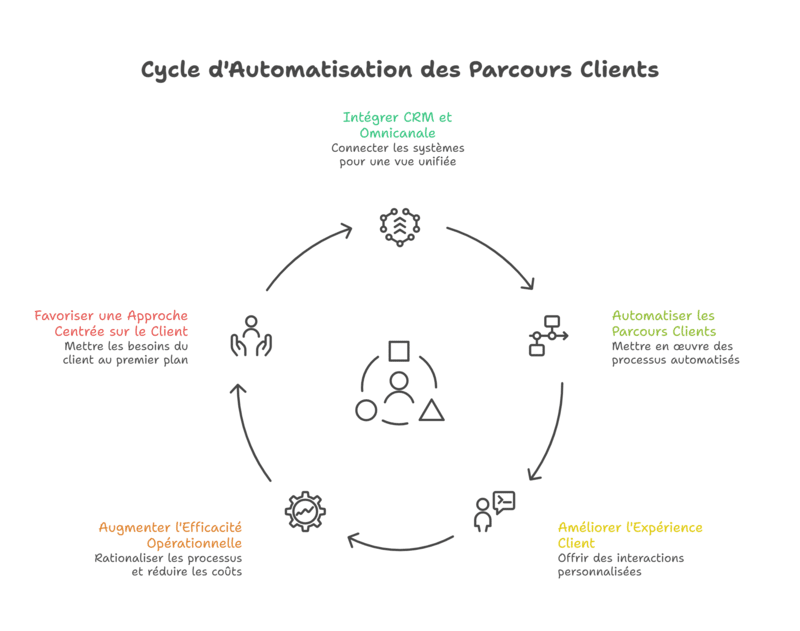
Marketing automation doesn’t replace humans. It protects their time. It structures relationships. It stabilizes performance.
Save time without sacrificing quality
You can automate:
- confirmations
- follow-ups
- post-purchase messages
- appointment reminders
- nurturing sequences
Your teams can focus on what matters: negotiating, advising, and solving problems. You improve service and reduce oversights.
Personalize without feeling artificial
Personalization works when it stays subtle. You use simple data points: first name, status, last action, category, and timing. You make the message relevant. You avoid the robotic feel.
Pro tip: personalize a maximum of 2 elements (first name + context). Too many variables sound fake, especially in B2B.
Enrich mobile when it's useful
SMS triggers quickly. In some cases, you can also use RCS : a richer format on mobile (buttons, visuals, guided journeys) when the phone supports it. You keep SMS as a safety net. You improve the customer experience without breaking your workflow.
How to centralize customer data?
Without unified data, you are doing multichannel. You are not doing omnichannel. The difference lies in the single source of truth.
Create a clean database
Centralize:
- identity (email, phone)
- consents
- interaction history
- purchases, carts, quotes
- support requests
Next, clean up duplicates. Two customer profiles = two contradictory messages. It hurts... and it happens fast.
Quick tip: choose a primary identifier. Often email in B2B, often phone in retail. Stick to the rule.
Verify numbers before sending
Pro tip: use a HLR Lookup to verify a number (status, reachability, country/carrier) before sending. You reduce errors, protect your performance, and keep your contact database healthy. (This detail prevents campaigns that look good on paper but perform poorly in reality.)
Connecting your CRM, platform, and everything else
Connect your website, payment tool, support system, and CRM to your omnichannel platform. APIs help. Connectors help. The method makes the difference.
A quick tip: start with just one integration. For example: form → CRM → welcome message. Once that’s stable, add follow-ups, then post-sales support.
Which platform for an omnichannel strategy?
An omnichannel platform is used to execute your strategy. It must be able to send, trigger, measure, and integrate.
The criteria that matter
Check for:
- coverage of channels (SMS, email, webhooks, and sometimes RCS)
- segmentation and scenarios
- consent and opt-out management
- useful reporting
- CRM integrations
- support and documentation
You can read a CRM platform comparisonGreat. Next, test a real-world scenario. A pilot test will tell you everything: implementation time, data quality, and ease of use for your teams.
Where does Octopush fit in?
Octopush serves as a communication building block for your campaigns and customer journeys: SMS messaging, routing, personalization, tracking, and API integrations as needed. You can use it to trigger an SMS after a CRM event, follow up on a lead, confirm an appointment, push a mobile offer, or secure a step in your funnel.
(Between us, SMS remains a formidable trigger when timing is everything.)
A quick tip: define the role of your SMS. Immediate action. Reminder. Validation. Reactivation. Nothing else.
How can you improve the customer experience with a CRM?
Experience isn't something you "declare." It’s something you feel. An omnichannel CRM improves the experience when you follow three rules.
Respond faster, with context
The customer asks a question. Your team sees the history. They answer without asking the same questions again. The customer feels recognized.
Send less, but better
Omnichannel doesn't justify constant marketing pressure. It justifies smarter communication.
Pro tip: add an anti-saturation rule. For example: no more than 2 messages every 7 days, across all channels, excluding transactional ones.
Create a consistent journey
Your journey should tell a story:
- discovery
- trust
- decision
- purchase
- loyalty
You can automate every step without losing authenticity. You just need to maintain a clear promise, a consistent tone, and the right channel.
Examples of ready-to-deploy journeys
Here are three sequences that work for many businesses.
B2B lead journey
- web form → CRM contact creation
- confirmation email + useful resource
- SMS 1 day later if no action (gentle reminder)
- sales follow-up if high interaction
- appointment booking → SMS + email confirmation
Goal: accelerate the lead-to-appointment process without being pushy.
E-commerce abandoned cart journey
- abandonment → reminder email
- SMS if the customer returns without buying
- small offer if cart remains pending
- post-purchase: advice email + delivery SMS
Goal: optimize the omnichannel sales funnel.
Re-engagement journey
- "90-day inactive" segment
- Value + new feature email
- Targeted short-offer SMS
- If clicked: VIP journey
- If no response: 30-day pause
Goal: Re-engage without damaging the relationship.
Pro tip: Set up an automatic "stop" after conversion. Many people forget and keep sending messages anyway.